Online Tutorial of Appointment Booking for Application at Counter for the HZMB Macao Port Park-and-Ride

Step 1 | 2 | 3 | 4

Step 1 - Retrieve Appointment Record
- Please note only new appointment using valid identity document and Vehicle Registration Mark are accepted. No new appointment is accepted if existing appointment not yet expired.

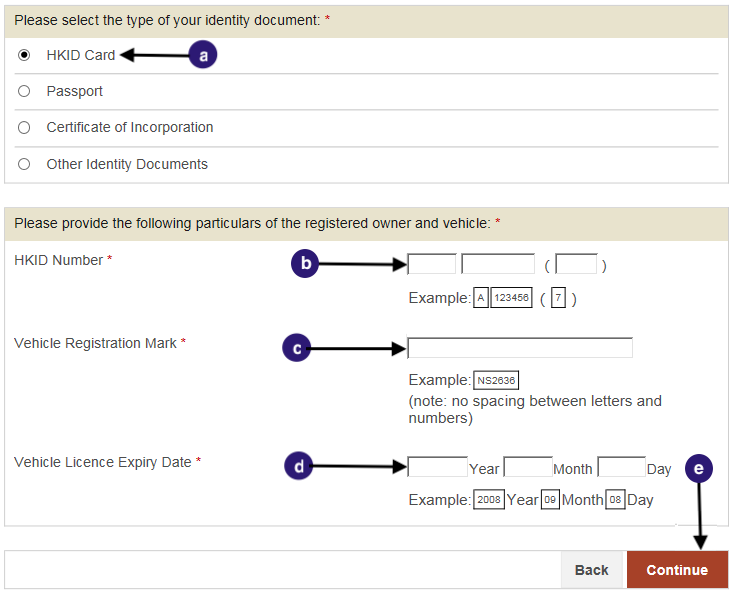
Retrieve Appointment for Application for the HZMB Macao Port Park-and-Ride Scheme using HKID Card:

Select HKID Card as Identity document.
Enter HKID Card Number.
Enter the Vehicle Registration Mark.
Enter the Vehicle Licence Expiry Date.
Click “Continue”. (To Step 2)


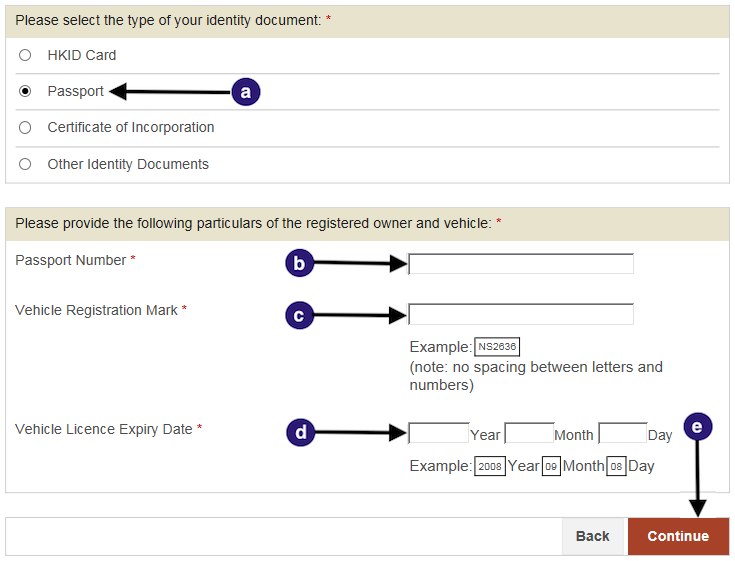
Retrieve Appointment for Application for the HZMB Macao Port Park-and-Ride Scheme using Passport:

Select Passport as your Identity document.
Enter your Passport number.
Enter the Vehicle Registration Mark.
Enter the Vehicle Licence Expiry date.
Click “Continue”. (To Step 2)


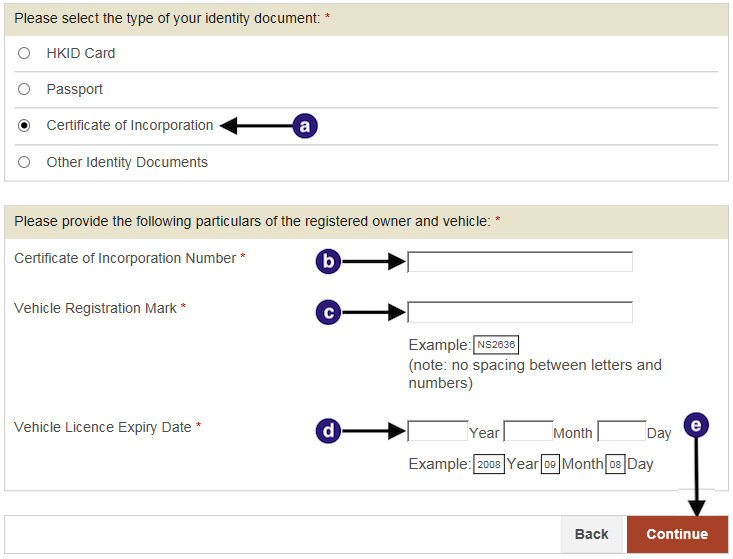
Retrieve Appointment for Application for the HZMB Macao Port Park-and-Ride Scheme using Certificate of Incorporation:

Select Certificate of Incorporation as your Identity document.
Enter your Certificate of Incorporation number.
Enter the Vehicle Registration Mark.
Enter the Vehicle Licence Expiry date.
Click “Continue”. (To Step 2)


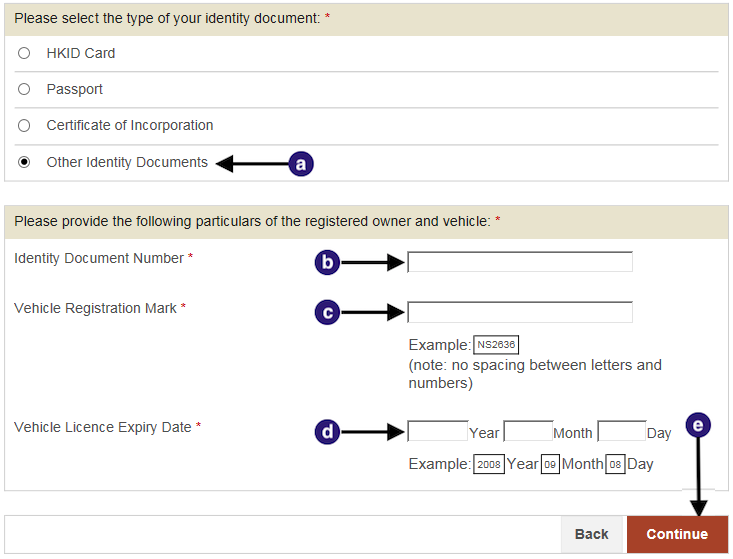
Retrieve Appointment for Application for the HZMB Macao Port Park-and-Ride Scheme using Other Identity Documents:

Select Other Identity Documents as your Identity document.
Enter your identity document number.
Enter the Vehicle Registration Mark.
Enter the Vehicle Licence Expiry date.
Click “Continue”. (To Step 2)


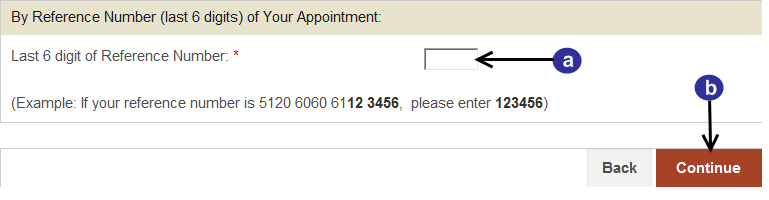
Retrieve Appointment Record by Reference Number:

Enter the last six digits of the Reference Number.
Click “Continue”. (To Step 2)

Step 1 | 2 | 3 | 4