Online Tutorial of Appointment Booking for Application at Counter for the HZMB Macao Port Park-and-Ride
Step
1
|
2
Step 1 - Retrieve Appointment Record
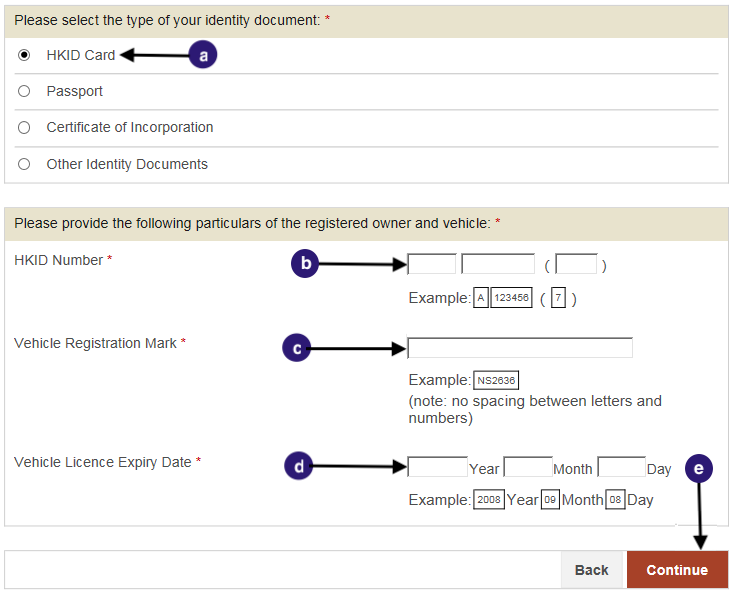
Retrieve Appointment for Application for the HZMB Macao Port Park-and-Ride Scheme using HKID Card:
Select HKID Card as Identity document.
Enter HKID Card number.
Enter the Vehicle Registration Mark.
Enter the Vehicle Licence Expiry date.
Click “Continue”. (To
Step 2
)
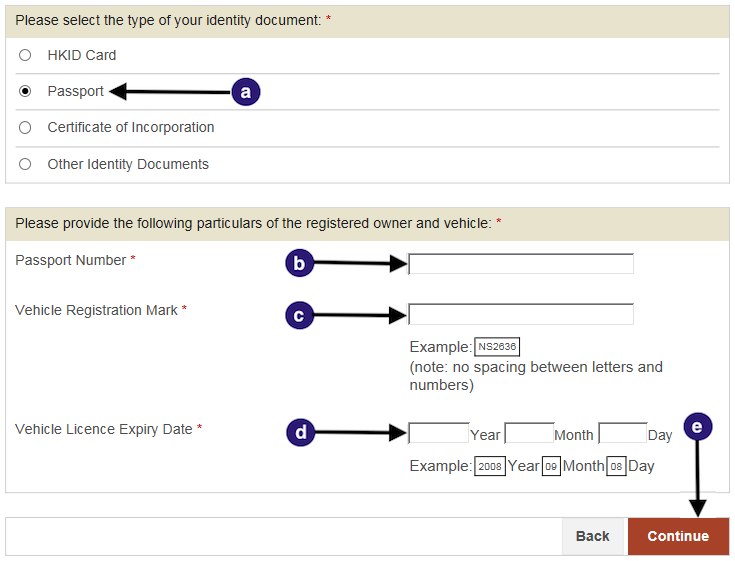
Appointment for Application for the HZMB Macao Port Park-and-Ride Scheme using Passport:
Select Passport as your Identity document.
Enter your Passport number.
Enter the Vehicle Registration Mark.
Enter the Vehicle Licence Expiry date.
Click “Continue”. (To
Step 2
)
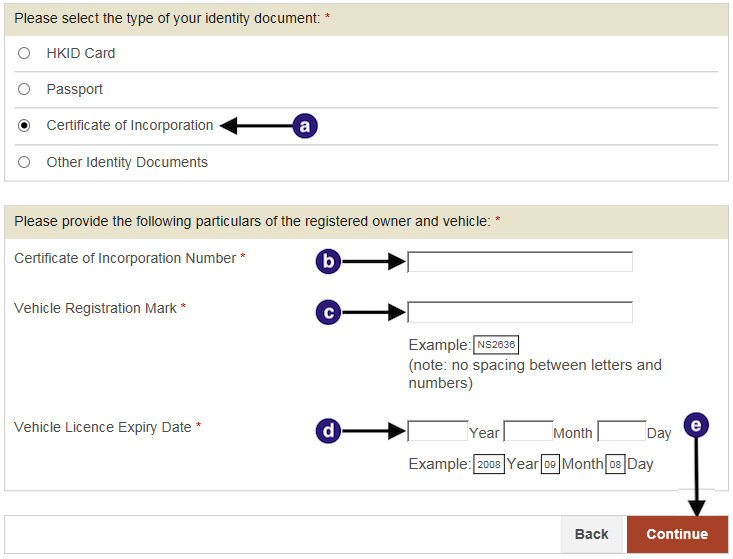
Appointment for Application for the HZMB Macao Port Park-and-Ride Scheme using Certificate of Incorporation:
Select Certificate of Incorporation as your Identity document.
Enter your Certificate of Incorporation number.
Enter the Vehicle Registration Mark.
Enter the Vehicle Licence Expiry date.
Click “Continue”. (To
Step 2
)
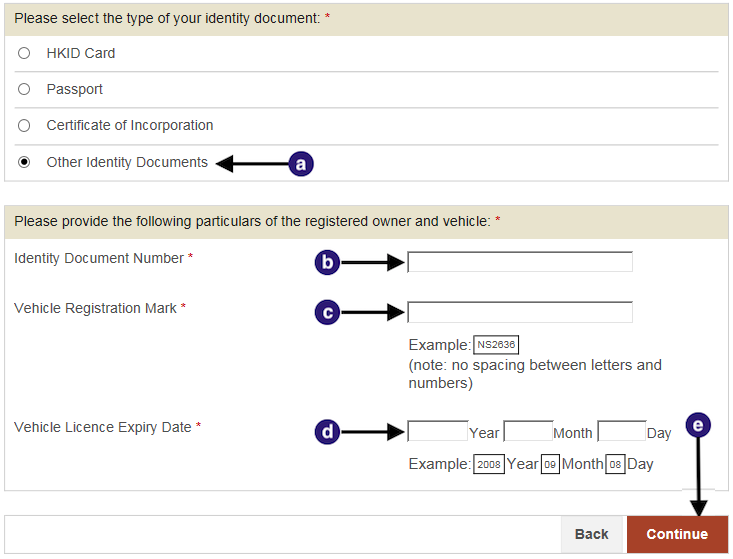
Appointment for Application for the HZMB Macao Port Park-and-Ride Scheme using Other Identity Documents:
Select Other Identity Documents as your Identity document.
Enter your identity document number.
Enter the Vehicle Registration Mark.
Enter the Vehicle Licence Expiry date.
Click “Continue”. (To
Step 2
)
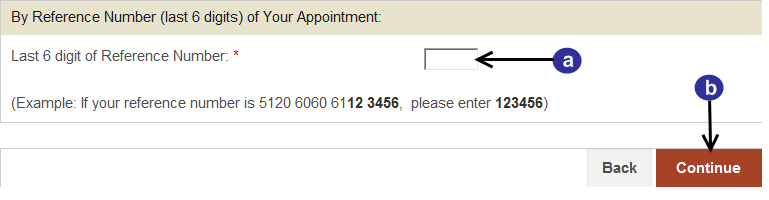
Retrieve Appointment Record by Reference Number:
Enter the last six digits of the Reference Number.
Click “Continue”. (To
Step 2
)
Step
1
|
2